Bedrock Console
The Bedrock Console is the optional Lightning app for seeing what Bedrock runtime frameworks are doing after Apex starts the work. Use it to inspect queues, errors, settings, schedules, routes, and shared thread lanes.
Overview
The console is an operator view over Bedrock runtime records and configuration.
It does not replace the Apex APIs. Application code still uses Async,
EventRelay, Scheduler, Thread, and Rest; the console helps admins and
developers see the records those frameworks already own.
Use it when you need to answer production questions quickly:
- Is work waiting, running, done, stale, or failed?
- Which errors can be retried or deleted from the UI?
- Which scheduled jobs are enabled, disabled, due, or out of sync with metadata?
- Which EventRelay routes and REST endpoints are configured?
- Which org-level and user-level runtime settings are currently effective?
Do not build business logic around console controllers. Treat them as a human window into Bedrock state, not as a second service layer.
Console Areas
The Bedrock Console app currently exposes five tabs.
| Tab | What it shows |
|---|---|
| Async | Queued async work, terminal errors, completed jobs, archived jobs, async job metadata, and async archive settings. |
| Threads | Shared Bedrock thread lanes, running and completed thread lifecycle rows, stale heartbeat candidates, and thread capacity settings. |
| Events | EventRelay publish routes, backlog, failed publish work, archived work, and publish settings. |
| Scheduler | Logical scheduler jobs, next run times, last execution times, disabled jobs, and metadata/runtime sync status. |
| REST | Configured REST roots, active/default versions, generated endpoint URLs, route creation, and REST response settings. |
Each tab starts with metric cards and a refresh action. The cards are meant for triage: find the red or stale count first, then open the matching detail tab.
Async And Thread Work
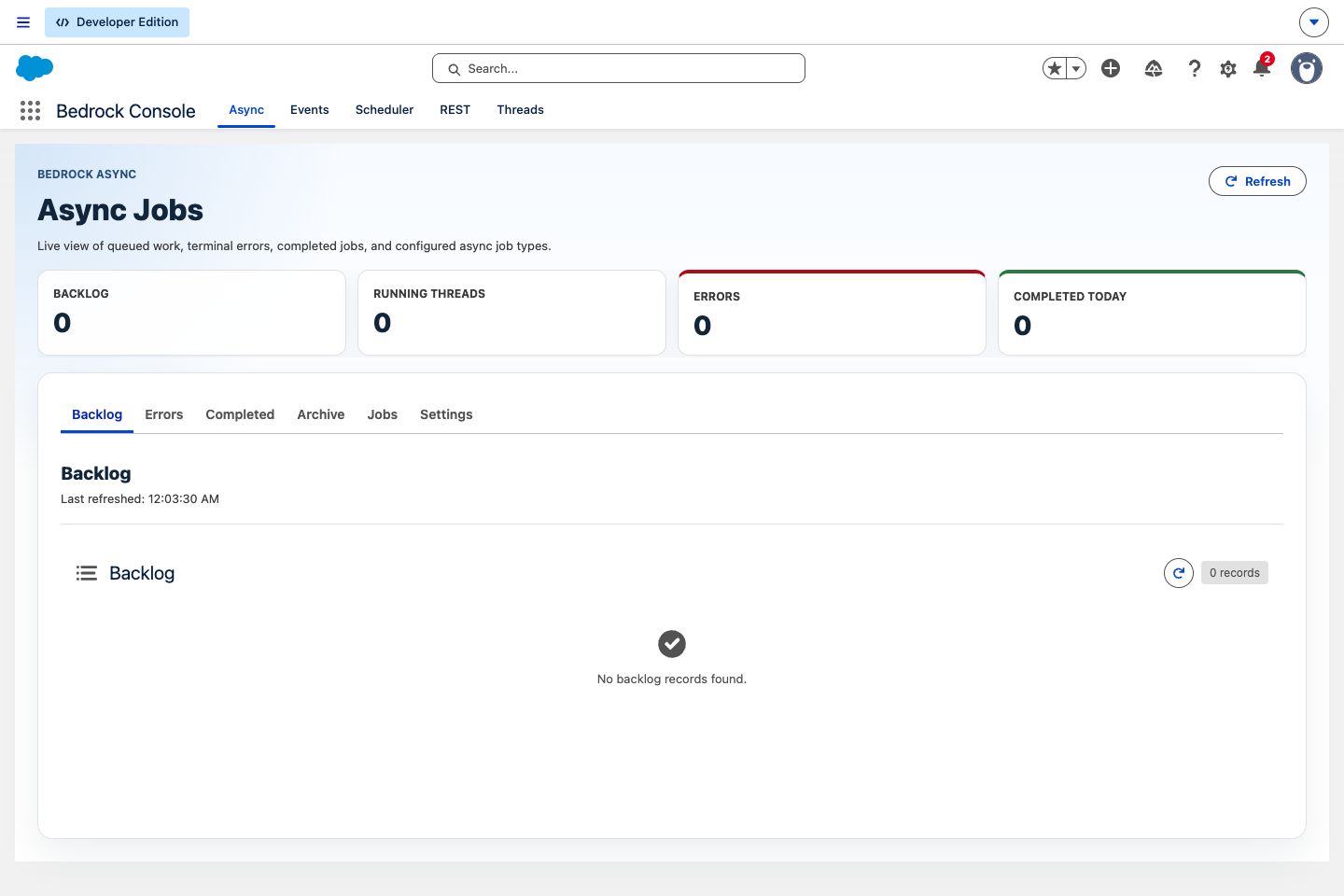
Async is the record-driven work queue. Its console tab is the best starting
point when a background job did not finish or a queue seems stuck. The Backlog,
Errors, Completed, and Archive tabs show the lifecycle of Async__c work, while
Jobs shows Async_Job__mdt configuration and Settings exposes archive cleanup
controls.
The Errors tab includes retry and delete actions for selected failed work items when the running user has permission. Use those actions after the underlying data or subscriber code problem has been corrected.
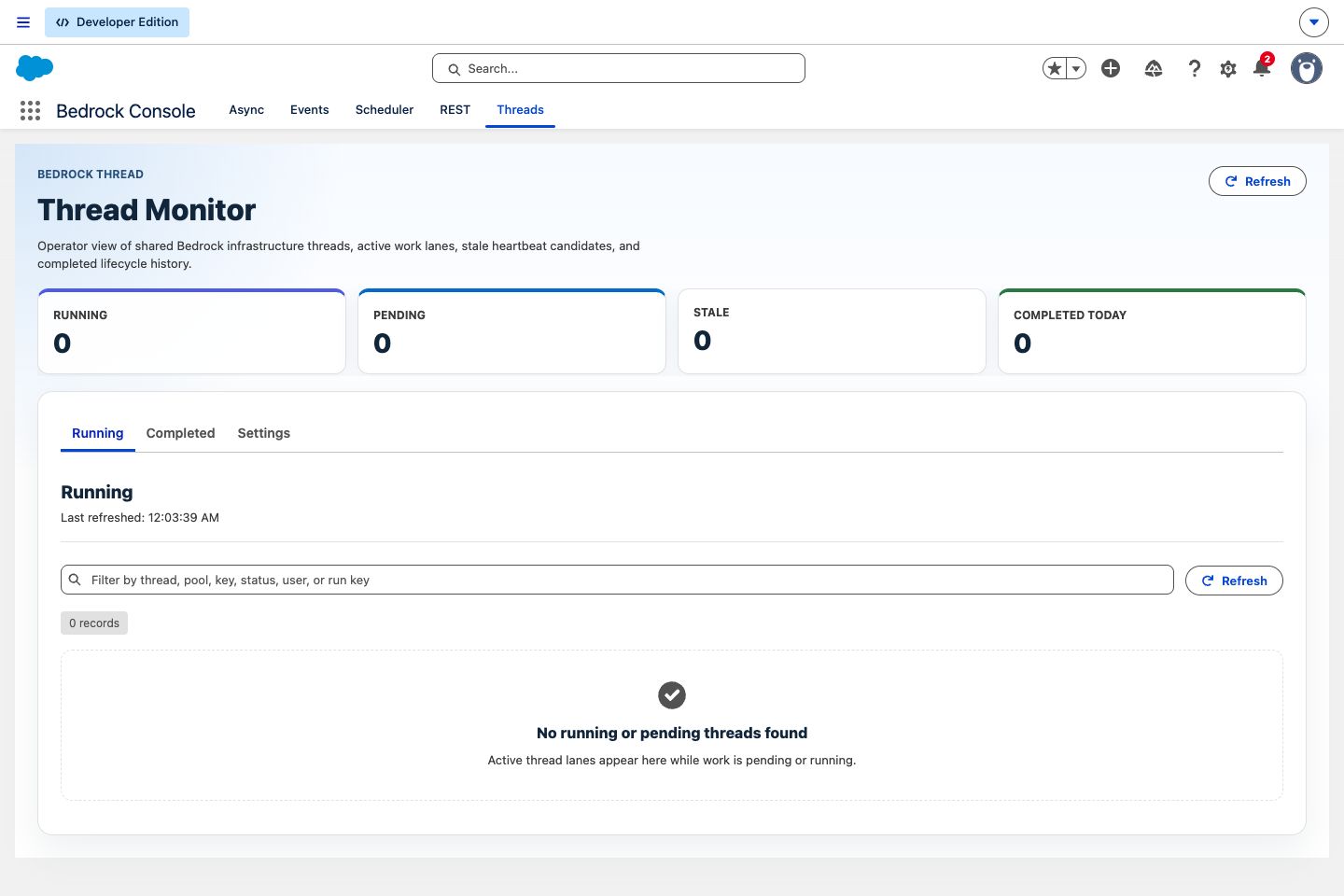
Threads are shared infrastructure. The Threads tab shows the lanes that Async, EventRelay, and other threaded work use underneath. Start here when a queue is not moving but the individual work item does not explain why. The Settings tab shows organization defaults and user overrides for max threads, recovery, and stale heartbeat handling.
Event And Schedule Work
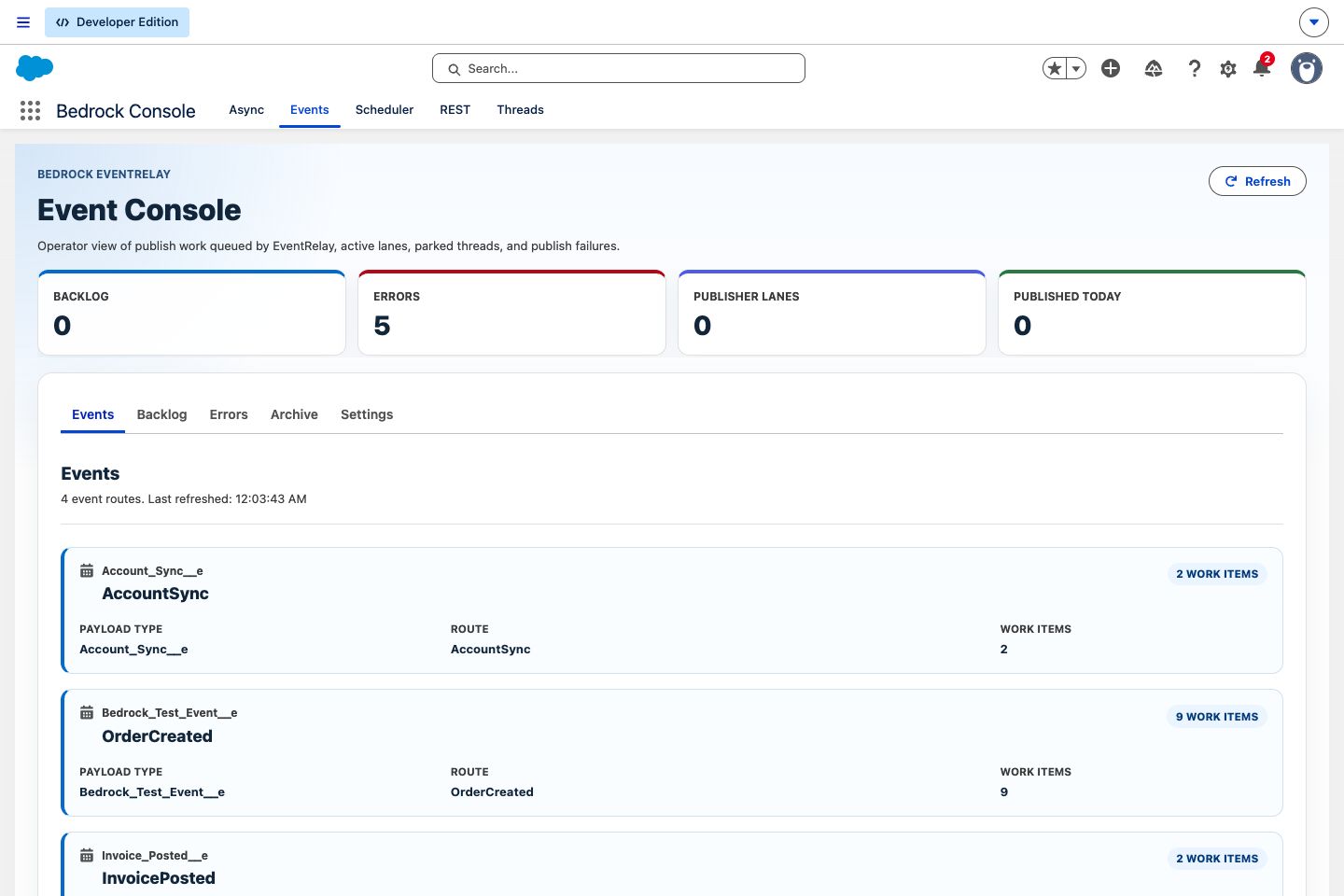
EventRelay uses durable work records to publish platform events. The Events tab groups publish work by payload type and route, then gives operators Backlog, Errors, Archive, and Settings views. Failed publish work can be retried or deleted from the Errors view when permissions allow it.
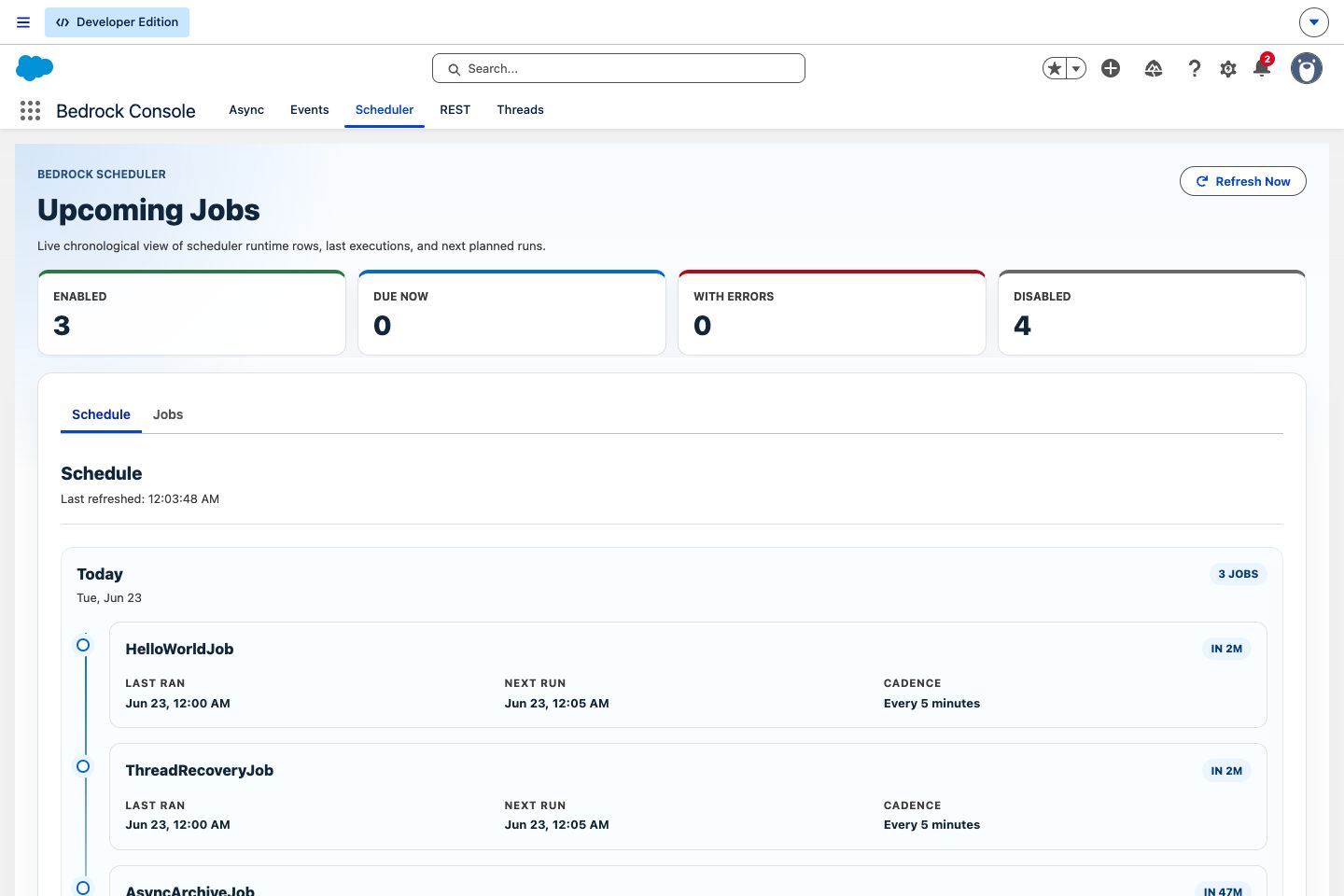
Scheduler turns Scheduler_Job__mdt records into runtime rows. The Schedule tab
is chronological: it shows what should run next, when it last ran, and the
cadence Bedrock calculated. The Jobs tab shows configured logical jobs and
whether metadata changes are waiting for the next heartbeat to refresh runtime
rows.
REST Routes
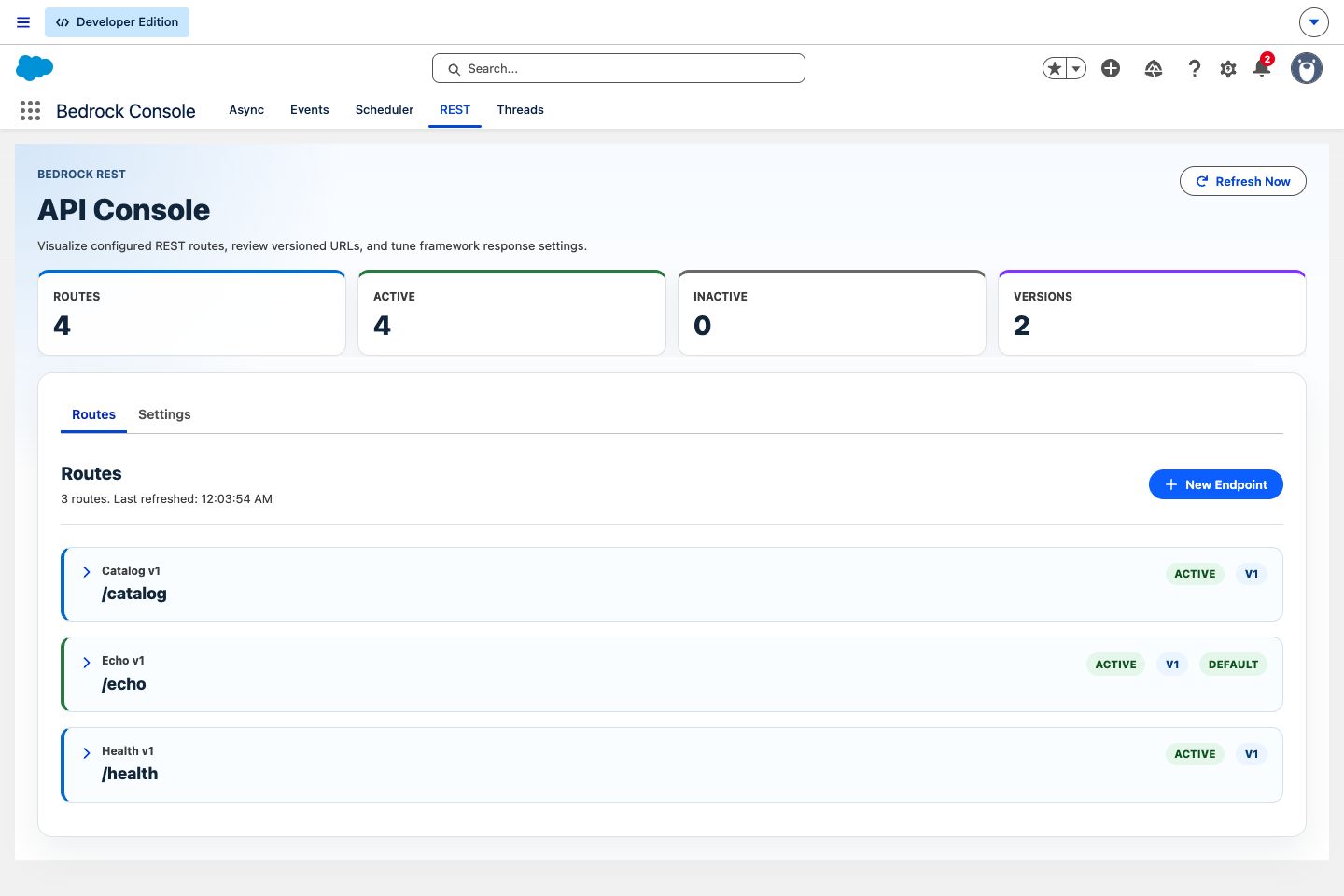
The REST tab is for route visibility and lightweight route setup. It shows each
configured root, active/default badges, version counts, endpoint URLs, and the
Apex class behind the route. The New Endpoint action creates a
Rest_Config__mdt record through the platform metadata API, and Settings
controls framework response behavior such as fallback status codes and error
detail exposure.
Use this tab to verify what the org will route before testing a client. Use the REST library page when you are writing handler Apex.
Setup Notes
The console source lives under force-app/bedrock/console-app. Deploy the
console components alongside the framework metadata your team wants visible.
The Lightning app and tabs are optional; the frameworks still run from Apex,
custom metadata, custom settings, and runtime records without the UI.
The console is most useful when permissions are deliberate:
| User type | Typical access |
|---|---|
| Read-only operator | View console tabs, runtime records, statuses, routes, schedules, and settings. |
| Recovery operator | Retry or delete failed Async and EventRelay work where object permissions allow it. |
| Platform admin | Edit runtime settings, create REST endpoint metadata, and manage scheduled job metadata. |
Notes & Edge Cases
- Console counts are snapshots. Use Refresh Now before making a recovery decision on a fast-moving queue.
- Retry and delete actions still honor Salesforce object and field permissions.
- Scheduler timing is still governed by the Bedrock heartbeat. The console reports scheduler state; it does not force a job to run immediately.
- Thread settings can be organization-wide or user-specific. User overrides are useful for constrained operators, but they can also explain why two users see different effective capacity.
- Public Apex contracts live on the framework pages. Console controllers are UI adapters for the Lightning app.